
Sarvyam vs HoneyBook: an honest comparison.
HoneyBook is a polished client-flow platform for service businesses in North America, the UK and Australia. Sarvyam is built for event businesses that price physical work — and works in any country. Here is where each one is stronger.
Sarvyam vs HoneyBook, side by side.
HoneyBook’s column comes from its own pricing page. “Not listed” means we could not find it in HoneyBook’s plan comparison — check with them if it matters to you.
| Feature | HoneyBook | Sarvyam |
|---|---|---|
| Where it works | Business owners in the US, Canada, the UK and Australia | Any country; 24 currencies |
| Free plan | No — free trial | Yes, plus 14 days of Pro |
| Paid plans | $29, $49 or $109 per month, billed yearly | $19₹999, $49₹2,499 or $79₹3,999 per month; yearly saves two months |
| Team members | Up to 2 on Essentials, unlimited on Premium | 2 on Starter; unlimited on Pro and Studio, no per-seat fees |
| Pricing from your costs | Services and pricing guides; profit by project from income and expenses | Costing engine: bulk materials used by the piece, waste %, labour, travel, margin vs markup |
| Packages | Templates, services and pricing guides | Packages and recipes with variants and add-ons |
| Proposals and quotes | Proposals clients book, sign and pay from one file | Quotes with versions, “what changed”, client-chosen add-ons, PDF |
| Signatures and contracts | Contracts with e-signatures, as separate files | Typed-name signature on the quote; terms accepted with the quote (Starter+) |
| Multi-part events | Not listed | One booking with several parts, quote sections per part |
| Deposits and payment plans | Payment plans, autopay, late fees, reminders | Deposits and payment schedules created on approval, reminders |
| Online payments | HoneyBook’s own processing: cards from 2.7% + 10¢, ACH 1.5%; Apple Pay and Google Pay | Your own Stripe account (Stripe fees + 0.5%); in India, Razorpay with your keys or UPI QR, no Sarvyam fee |
| Invoices and tax | One-time, recurring or custom invoice schedules | Receipts and invoices with VAT, GST or sales tax; GST tax invoices in India |
| Inquiries | Lead forms (2 on Starter, 10 on Essentials, unlimited on Premium), pipeline | Inquiry pipeline with stages, follow-ups and sources; inquiry form on your website |
| Booking calls | Scheduler (fuller on Essentials and up), Zoom links | No scheduler |
| Automation | Automations and an AI automations builder (Essentials+) | Built-in reminders only |
| Email and calendar | Use your email inside HoneyBook; calendar sync | No inbox or Google Calendar sync; own calendar with clash warnings |
| Questionnaires | Forms and questionnaires | Not available |
| Crew scheduling | Not listed | Skills, availability, clash checks, crew job links (Pro) |
| Rental stock | Not listed | Reserved by date with clash checks (Pro) |
| Mood boards | Not listed | Inspiration boards with client likes and comments |
| Client page | Client portal | Client portal page and vendor collaboration links |
| Galleries | Pic-Time integration | Proofing galleries with favorites (Studio) |
| Website | Not listed | Website in 10 themes with inquiry form; shop on Studio |
| Phone | Mobile app | Installable web app with push notifications |
| Integrations | Zapier, QuickBooks Online, Zoom, Canva, Mailchimp, Flodesk, Calendly and more | API and webhooks (Pro); CSV exports |
| AI | HoneyBook AI: email drafts, meeting notes, lead insights | Not a focus |
Swipe the table sideways to see every column.
Where each one is stronger.
Where HoneyBook is stronger
- A built-in scheduler so clients can book calls and pay in one go
- Automations, with an AI builder that drafts workflows from a description
- Your email and calendar connected inside the app
- Questionnaires, custom forms and standalone contracts
- A native mobile app and a long list of integrations, including QuickBooks Online and Zapier
- Finance extras such as instant deposit (subject to eligibility) and a HoneyBook business account
Where Sarvyam is stronger
- Prices built from real costs — materials bought in bulk, waste, labour, travel and margin
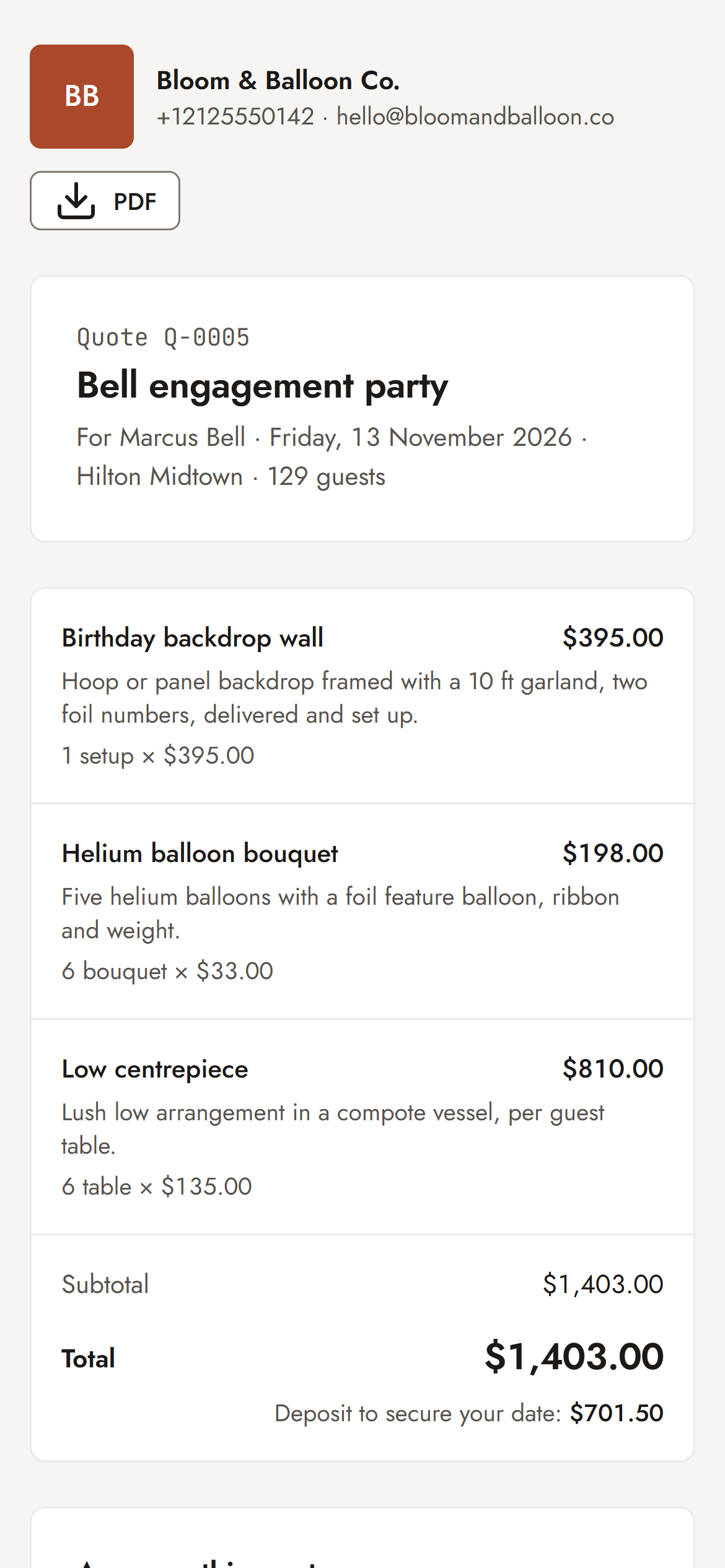
- Packages with variants and add-ons your client picks on the quote
- Multi-part events and several quotes per booking with “what changed”
- Crew scheduling and rental stock reserved by date, with clash checks
- Works in any country; in India, GST tax invoices, Razorpay and UPI
- A free plan, and no per-seat fees from Pro up
What Sarvyam does not do (yet)
- No built-in scheduler for clients to book calls or consultations
- No two-way email inbox and no Google Calendar sync
- No custom questionnaires or form builder — inquiries come in through your page’s inquiry form
- No general workflow-automation builder — just built-in reminders (payment due or overdue, quote expiring, task due, a daily digest)
- Terms are accepted with the quote; there are no separate contract documents
- No time tracking and no email marketing
- An installable web app with push notifications, not an App Store or Google Play app
The whole job, on one booking.
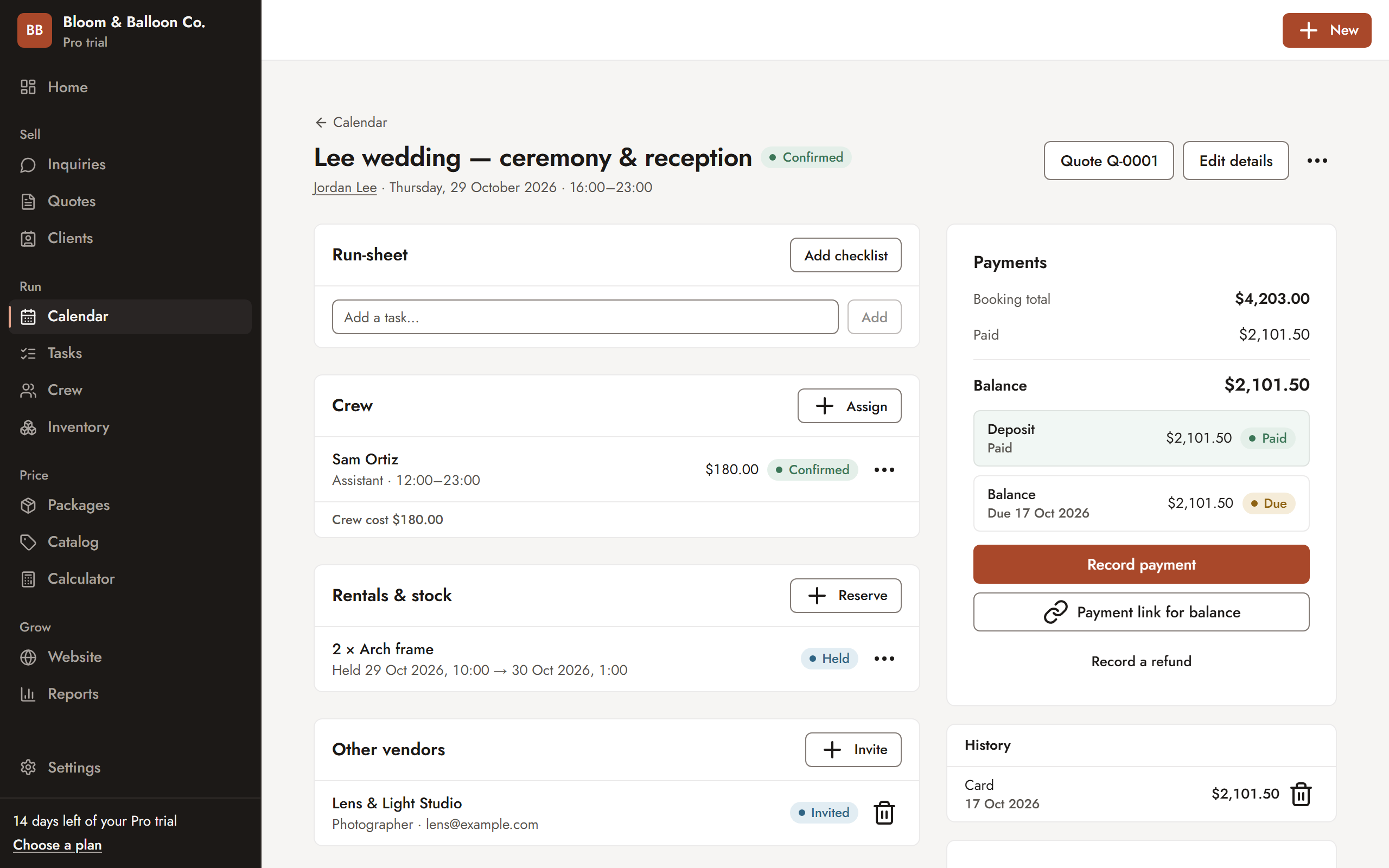
The run-sheet, the crew and what they cost, rental stock held for the date, the other vendors on the event and the deposit and balance — all on the booking. Bookings can also have several parts, each with its own quote section.
- Payment schedule created on approval
- Payment link for the balance
- Calendar clash warnings before you double-book
What you actually pay.
HoneyBook lists Starter at $29/month, Essentials at $49/month and Premium at $109/month, billed yearly (US prices, October 2026). Monthly billing costs more, and UK and Australian subscriptions are priced in pounds and Australian dollars. Client payments add card fees from 2.7% + 10¢ or 1.5% for ACH. Check HoneyBook’s pricing page for current prices.
Sarvyam has a Free plan for pricing and quoting, then Starter, Pro and Studio below. Card payments through Sarvyam links carry Stripe’s fee plus 0.5%; Razorpay, UPI and payments you record carry no Sarvyam fee.
Price every job with confidence.
- Profit calculator and costing engine
- Industry starter packs
- 10 sent quotes a month
- 100 catalog items, 25 clients
Turn inquiries into paid bookings.
- Unlimited quotes, items and clients
- Inquiry pipeline and link-in-bio page
- Online approval with e-signature
- Calendar, deposits and payment tracking
Run the whole team and every event.
- Unlimited team members — no per-seat fees
- Crew and freelancer scheduling with clash checks
- Tasks, checklists, inventory and rentals
- One-page website in 10 themes, vendor timelines, reports
For photo and video studios that deliver.
- Everything in Pro
- Full website with shop, product pages and rentals
- Client galleries with 200 GB storage
- Proofing and favourites
Every new account gets 14 days of Pro, then falls back to Free — never charged automatically. Prices in US dollarsPrices in Indian rupees; yearly plans get two months free. Compare all plans · Start free
Moving from HoneyBook, without the stress.
There is no automatic import from HoneyBook. Most businesses switch with new work first and let current projects finish where they are.
- Start free
Create your business and get 14 days of Pro. Pick your industry to load a starter pack in your currency.
- Rebuild your packages
Replace the example prices with what you pay, set your margin and check the numbers with the free pricing calculators.
- Send the next inquiry
Run your next new inquiry through Sarvyam: quote, approval, deposit.
- Let old projects finish
Keep current HoneyBook projects there until they are paid and delivered.
Keep comparing
Sources
- HoneyBook pricing — Plans (Starter $29, Essentials $49, Premium $109 per month billed yearly), what each plan includes, the free trial, card fees from 2.7% + 10¢ (2.9% + 25¢ in the plan table), 1.5% ACH fee, and availability for business owners in the US, Canada, UK and Australia.
- HoneyBook is now available in the UK and Australia — UK and Australia launch, subscriptions priced in GBP or AUD.
Competitor details were last checked in October 2026 on each company’s own website and can change at any time — check their site for current pricing and features. Prices are shown as listed there, before any tax. HoneyBook and other product names are trademarks of their respective owners. Sarvyam is not affiliated with, endorsed by or sponsored by any of them.
Sarvyam vs HoneyBook: FAQ
Is Sarvyam a good HoneyBook alternative?
It is for event businesses that price physical work — balloon decor, florals, decor and rentals — and for businesses outside the countries HoneyBook serves. If your business runs on booking calls, questionnaires and automated email sequences, HoneyBook does more of that than Sarvyam does.
Is HoneyBook available outside the US?
HoneyBook says it is currently available for business owners in the US, Canada, the UK and Australia, with UK and Australian subscriptions priced in local currency. Sarvyam works in any country, with 24 currencies and VAT, GST or sales tax.
How much does HoneyBook cost compared with Sarvyam?
HoneyBook lists Starter at $29, Essentials at $49 and Premium at $109 per month, billed yearly, with a free trial and no free plan (checked October 2026). Sarvyam has a Free plan, then Starter at $19, Pro at $49 and Studio at $79 per month, with yearly plans getting two months free.
What payment fees does each charge?
HoneyBook processes client payments itself; its pricing page lists card fees starting at 2.7% + 10¢ and 1.5% for ACH bank transfers. With Sarvyam, card payments go to your own Stripe account — Stripe’s fees plus a 0.5% Sarvyam fee on payments through its payment links. In India you can use your own Razorpay account or UPI with no Sarvyam fee, and cash or bank transfers you record are always free.
Does Sarvyam have contracts like HoneyBook?
Sarvyam puts your terms on the quote: the client reads them, approves and signs with their typed name (Starter and up). It does not have separate contract documents. If you need standalone contracts, HoneyBook has them.
Does Sarvyam have a scheduler and automations?
No built-in scheduler for booking calls, and no general workflow builder. Sarvyam sends built-in reminders — payment due and overdue, quote expiring, tasks due and a daily digest — and push notifications for new inquiries, approvals and payments.
Is there a Sarvyam mobile app?
Sarvyam is an installable web app: add it to your phone’s home screen and get push notifications. It is not in the App Store or Google Play. HoneyBook has a mobile app.

See your margin
before you send.
Free forever plan. 14 days of Pro included. No card needed.