
Know what’s free. Never promise it twice.
Sarvyam is party rental software for small event rental and party hire businesses. Track chairs, tables, linens, tents and dance floors by date, hold stock on each booking without double-promising it, and send quotes your client signs and pays a deposit on from their phone.
The same chairs, promised twice.
Most rental businesses start with a spreadsheet and a calendar. It works until two weekend jobs need the same 150 chairs.
The stock sheet says you own 200 chairs. It doesn’t say 140 are out on Friday and not back until Sunday morning.
Linens need laundering and tents need drying. A job that ends at midnight can’t feed one that loads at 7am.
A cracked table or a stained cloth turns up on the next job, and by then nobody knows which client had it.
Crew hours to load, deliver, set up and collect, plus truck trips, are easy to leave out of a quote.
“Can you hold the tent for us?” in a DM is not a booking. Without a deposit, the date stays open and you can’t rent it to anyone else.
Cleaning, laundering and replacement wear on every rental come out of your margin unless the price includes them.
Pick a date. See what’s free.
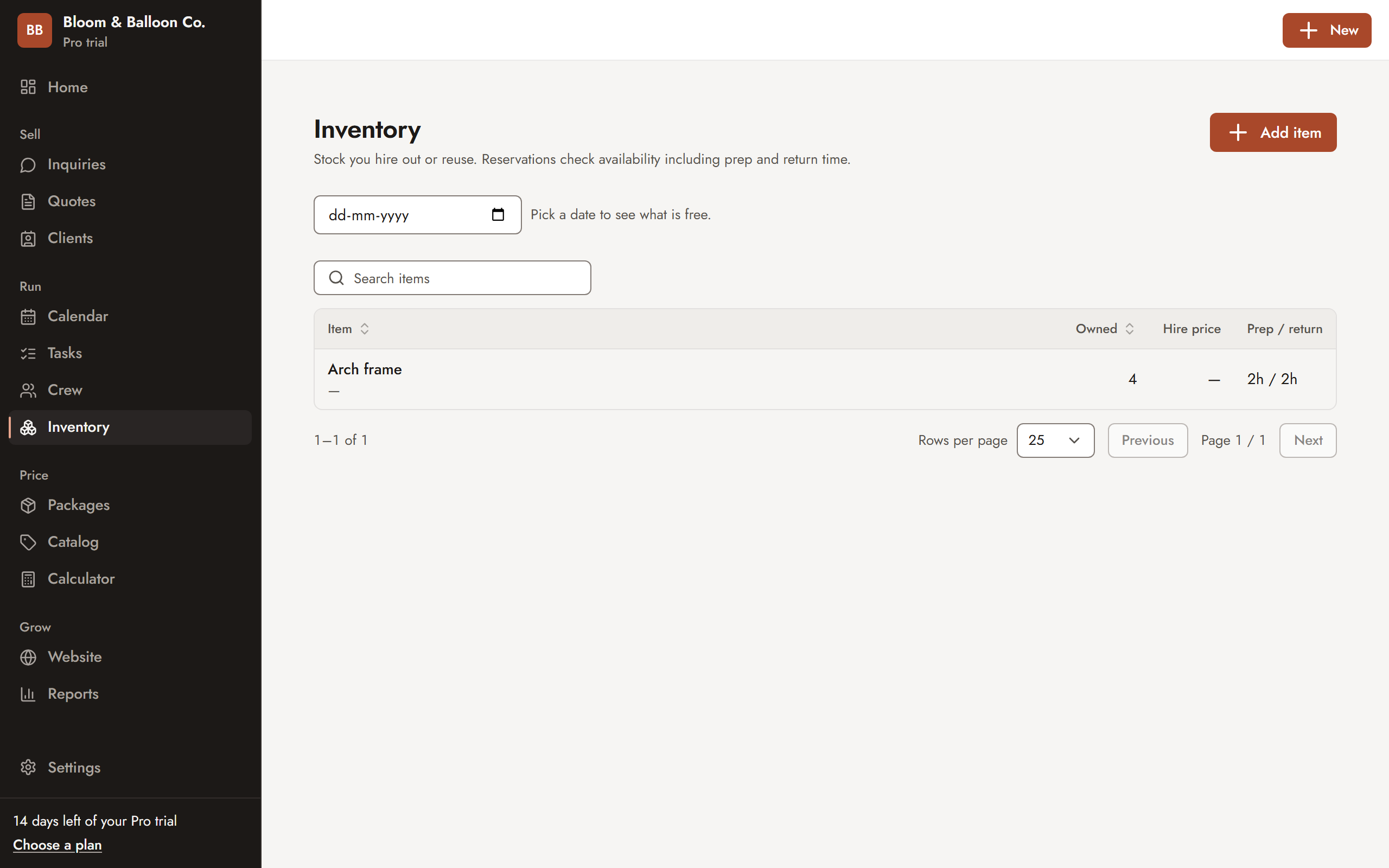
Your inventory lists what you own, the hire price and the prep and return time each item needs. Choose a date and Sarvyam shows what is still available after every hold on that day. The client gets a clean quote on their phone.
- Quantity owned, hire price and replacement cost
- Prep and return buffers around every hold
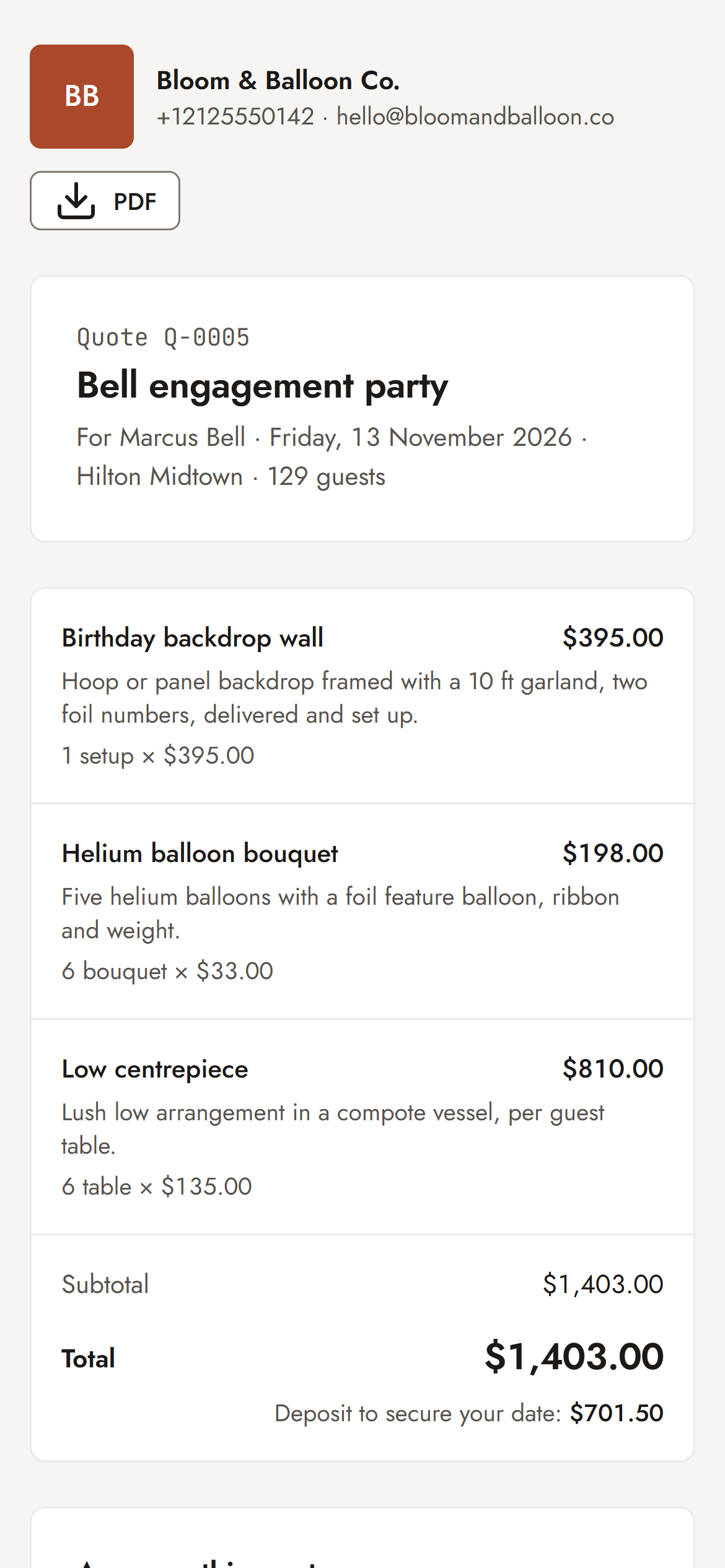
- A quote link and a PDF for the client
From inquiry to everything counted back in.
Stock, quotes, deposits, crew and your website in one event rental software. The plan each feature needs is marked on it.
Stock that knows the date
Add every item once with how many you own, its hire price, replacement cost and the prep and return time it needs. Pick a date and see what is free.
- Quantity owned per item: 200 chairs, 4 tents
- Prep and return buffers kept around every hold
- Archive retired stock without losing its history
No double-promised chairs
Reserve items on a booking and Sarvyam checks that window before it holds them. Ask for 120 when only 80 are free and it tells you, and the hold is not made.
- Two people can’t grab the last 10 chairs at once
- Move a booking and its holds move with it, re-checked
- Cancel a booking and held stock is released
Out, back and damaged
Mark each hold as out when it leaves and returned when it comes back. Log how many came back damaged, with a note, while you still remember what happened.
- Held → out → returned, per item and booking
- Damaged quantity and notes on the booking
- Damage and count terms in the starter pack
Rental prices that cover the work
Price each hire item or set from what it really costs you: cleaning and laundering, wear per use, crew hours to deliver and set up, and truck trips.
- Markup or margin, with profit shown on every quote
- Guest table sets built from table, chairs and linen
- Update a cost once and every package follows
Quotes clients sign on their phone
Send a quote link. Your client ticks optional extras like extra linens or a dance floor, signs with their typed name and pays the deposit.
- Optional add-ons the client chooses
- Know when the quote was opened
- Edits become a new version, with what changed
Deposits and balances
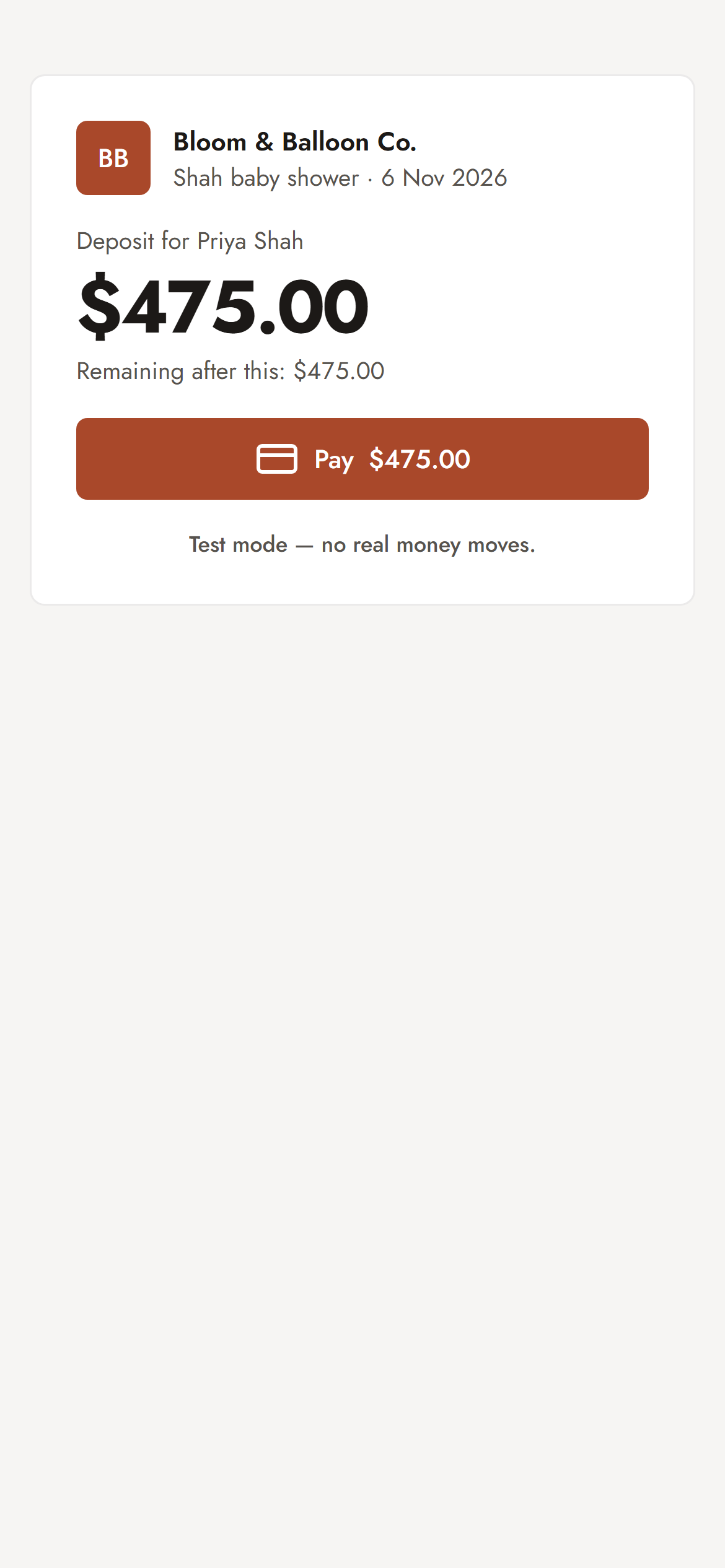
Approval creates the payment schedule: deposit now, balance before the event. Record cash or transfers, or send a card payment link paid into your own Stripe account.
- Receipts for every payment
- Who still owes what, on your dashboard
- Refunds recorded against the booking
Drivers and setup crew
Schedule drivers, setup crew and warehouse help with clash checks. Each person gets a job link to confirm or decline, with no client prices on it.
Pro, no per-seat feesA rental catalog online
A themed website with your hire items and “from” prices and an inquiry form that lands in your pipeline. On Studio, clients pick items and quantities, see an estimate and send it as a request.
One-page site: Pro · Catalog pages: StudioStock held, crew booked, balance due.
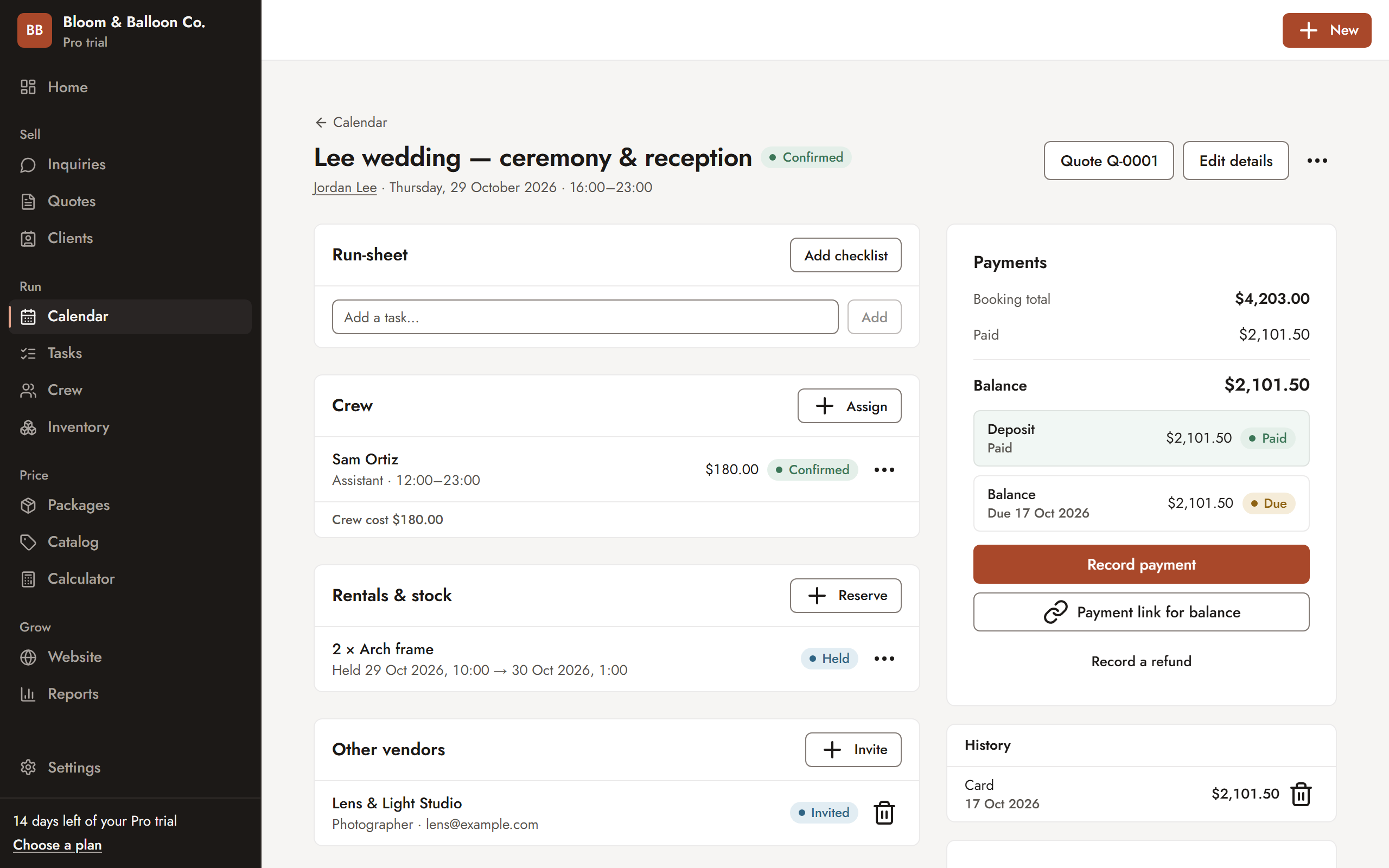
Each booking shows the items held for it and the exact window they are blocked, the crew assigned, the checklist and every payment. Send the balance as a payment link and the client pays from their phone.
- Rentals and stock held per booking, with status
- Crew with confirm or decline links
- Deposit and balance with payment links
Set up once. Rent every weekend.
- Load the party rental pack
Chair hire, guest table sets, a 20×20 tent and a dance floor load as costed packages, with a 7-step delivery checklist and damage terms, in your currency.
- Add your stock
Enter what you own, the hire price, replacement cost and the prep and return time for each item.
- Quote the inquiry
Start from the inquiry, add packages and quantities, mark extras as optional and check your profit before you send.
- Client signs and pays
They open the link, tick add-ons, sign with their name and pay the deposit. The booking lands on your calendar.
- Hold, deliver, count back
Reserve the items for the event window, assign the crew, mark the stock out and returned, and log any damage.
Spreadsheets, a generic CRM or Sarvyam?
A spreadsheet can list your stock and a generic CRM can track your clients. Neither knows whether the chairs are free on Saturday.
| Task | Spreadsheets + WhatsApp | Generic CRM | Sarvyam |
|---|---|---|---|
| What is free on a date | Counted by hand | Not built for it | Live, per item (Pro) |
| Prep and return time between jobs | In your head | No | Buffers per item (Pro) |
| Refuses to over-promise stock | No | No | Checked on every hold (Pro) |
| Damage logged per booking | Separate notes | Notes field | Damaged count + notes (Pro) |
| Price from cleaning, wear and crew hours | Your own formulas | Line items only | Costed packages |
| Client signs and pays a deposit online | No | Some | Yes (Starter+) |
| Drivers and setup crew without clashes | Group chat | Rarely | Clash checks (Pro) |
Check your prices first.
No sign-up needed. Work out the margin on a rental package with the free calculator, then read how much deposit to ask for.
Start free. Add stock tracking on Pro.
Price every job with confidence.
- Profit calculator and costing engine
- Industry starter packs
- 10 sent quotes a month
- 100 catalog items, 25 clients
Turn inquiries into paid bookings.
- Unlimited quotes, items and clients
- Inquiry pipeline and link-in-bio page
- Online approval with e-signature
- Calendar, deposits and payment tracking
Run the whole team and every event.
- Unlimited team members — no per-seat fees
- Crew and freelancer scheduling with clash checks
- Tasks, checklists, inventory and rentals
- One-page website in 10 themes, vendor timelines, reports
Every new account gets 14 days of Pro, then falls back to Free — never charged automatically. Prices in US dollarsPrices in Indian rupees; yearly plans get two months free. Compare all plans · Start free
Party rental software: FAQ
What is party rental software?
Party rental software (called party hire software in the UK) keeps track of what you own, what is booked out on each date and what each job earns. Sarvyam does that alongside quotes, online approval, deposits, crew scheduling and a calendar, so a small rental business can run from one place instead of a spreadsheet and a group chat.
How does Sarvyam stop me double-booking chairs, tables or tents?
Each inventory item has the quantity you own and optional prep and return times. When you reserve items on a booking, Sarvyam checks every other hold that overlaps that window and refuses to promise more than you have. If you move a booking to a new date, its holds move too and are checked again, and you are told about any shortfall.
Can I record damaged or missing items?
Yes. Each hold on a booking goes from held to out to returned, and you can record how many came back damaged with a note. The party rental starter pack includes damage and count terms for your quotes. To charge for the damage, send the client an add-on quote on the same booking.
Can clients book rentals online?
Clients approve, sign and pay a deposit on the quote you send them (Starter and up). On the Studio plan your website has catalog pages where clients choose items and quantities, see an estimated total and send it to you as a request. It is a request you confirm and quote, not a checkout with a cart.
Does it work for party hire businesses in the UK?
Yes. Sarvyam works in any country and timezone, with 24 currencies including pounds sterling, and VAT included in prices or added on top. Starter pack prices load in your currency as examples for you to confirm.
Does Sarvyam plan delivery routes or scan barcodes?
No. Sarvyam does not plan routes or scan barcodes. Delivery and collection times sit on the booking and the calendar, crew are scheduled with clash checks, and the rental checklist covers staging, loading against the packing list, delivery, collection and counting returns.
How much does party rental software cost?
Sarvyam has a Free plan for pricing and quoting. Inventory, crew scheduling and checklists are on Pro, at $49 a month (₹2,499 in India) with unlimited team members and no per-seat fees. Every new account gets 14 days of Pro and is never charged automatically.

Stop counting chairs
in a spreadsheet.
Free forever plan. 14 days of Pro included. No card needed.