
Every event, every vendor, one plan.
Sarvyam is event planning software for small planning businesses and wedding planners. Keep multi-day events in one booking, give vendors a shared timeline and your client a page with the schedule and payments, and quote and get paid without chasing.
You hold the plan. Everyone asks you for it.
Planners keep a dozen vendors, a family and their own team in step. When the plan lives in documents and group chats, every change means sending it again.
The caterer has Tuesday’s version, the DJ has last week’s, and the venue never got the change to the first dance.
Rehearsal, ceremony, reception and brunch each have their own venue, times and vendors, squeezed into one sheet.
Approvals are spread across emails and messages, so on the day nobody can quickly check what the client signed off.
Site visits, vendor calls and a 14-hour wedding day add up. A flat fee picked from memory often doesn’t cover them.
The same 40 tasks retyped for every booking, with due dates worked out by hand from the event day.
Chasing deposits and final payments in a chat with the couple is awkward and easy to forget.
The whole event on one screen.
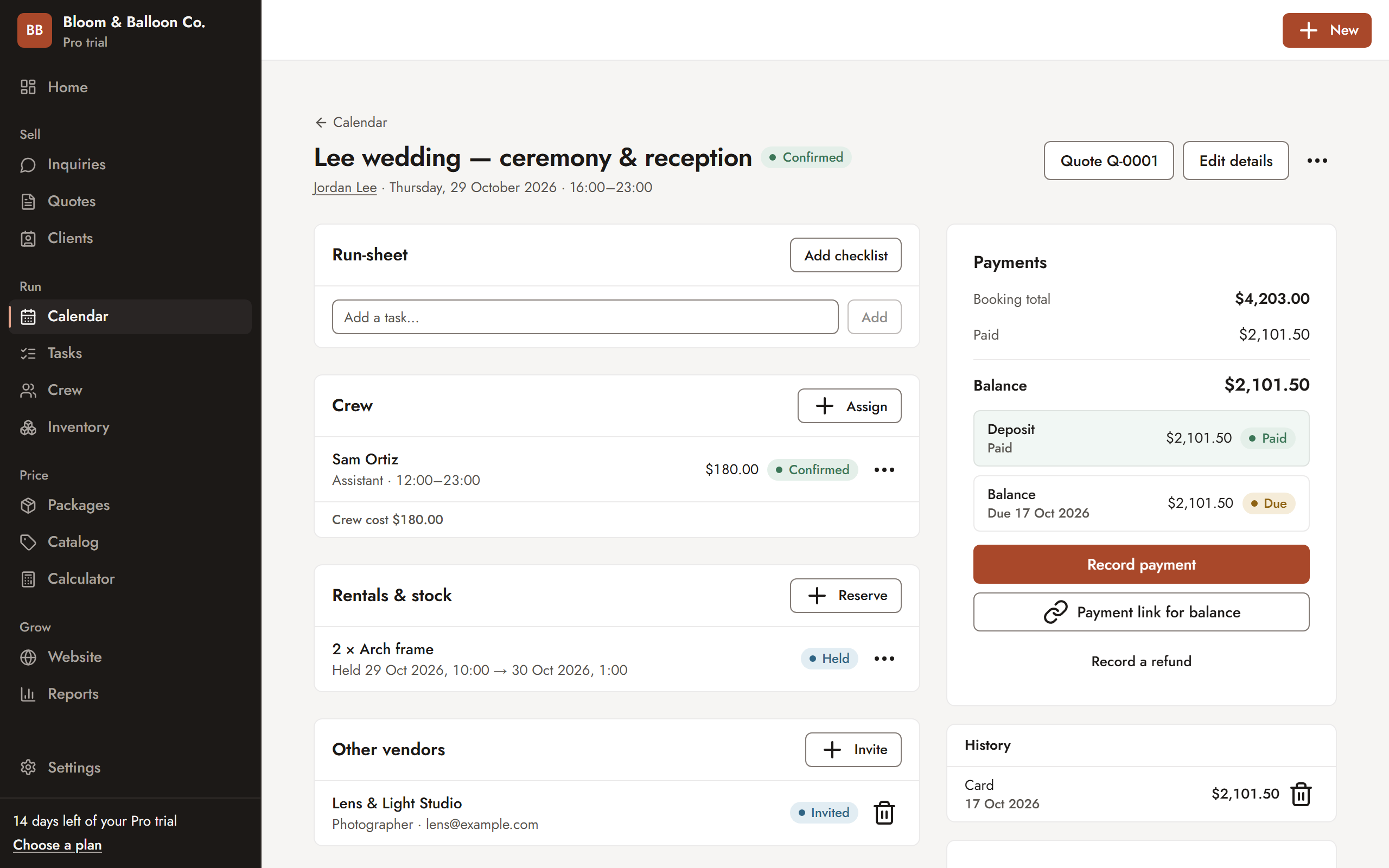
Each booking holds the run-sheet, your team, the other vendors working the event and the payment schedule. Invite a vendor and they see the shared timeline; send the balance as a payment link and the client pays from their phone.
- Other vendors with arrival times
- Your team, with confirm or decline links
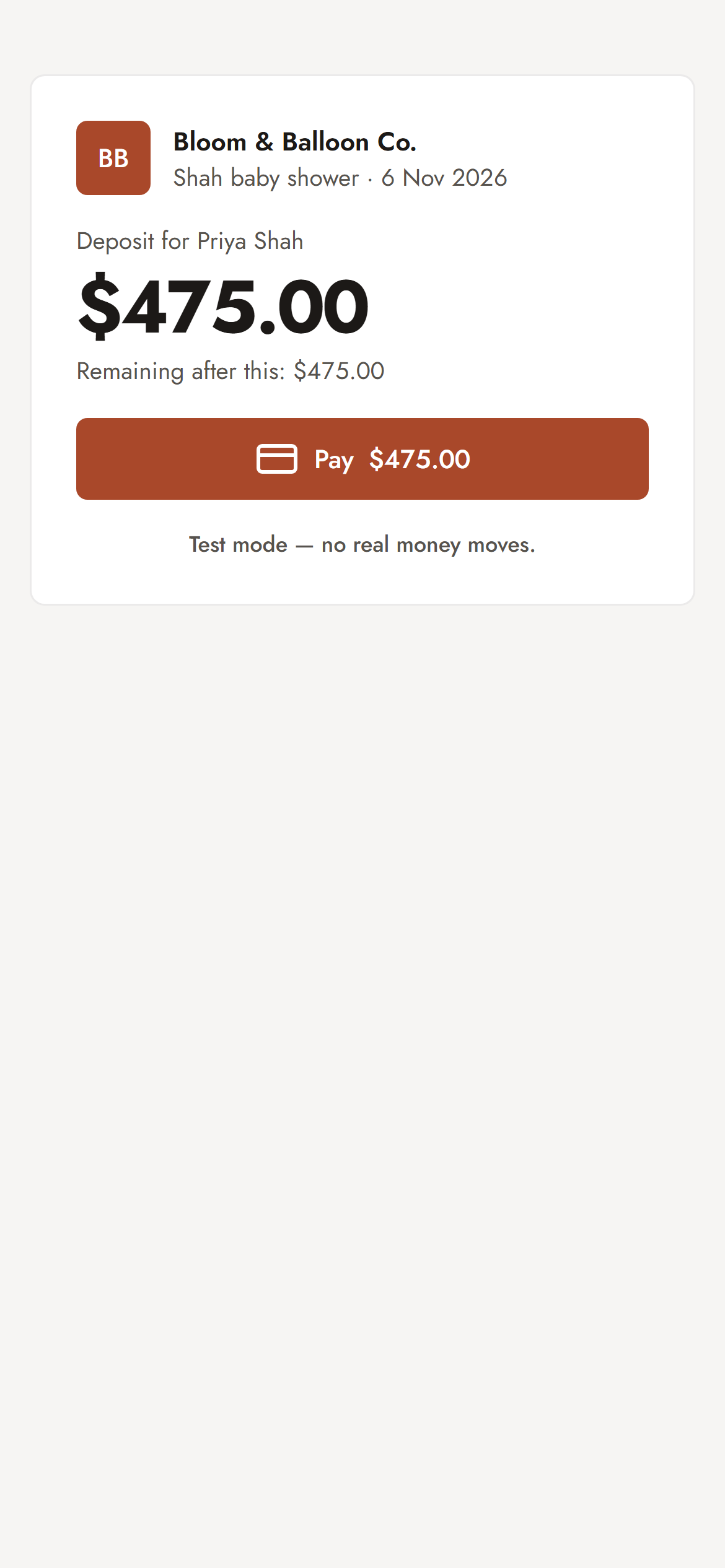
- Deposit and balance with payment links
Wedding planner software for the business side.
Bookings, vendors, your client’s page, checklists, quotes and payments. The plan each feature needs is marked on it.
One booking, every event
A wedding weekend is one booking with parts: rehearsal dinner, ceremony and reception, farewell brunch. Each part has its own date, times, setup and teardown, venue, guest count and people to call.
- Move a part and its crew and stock move with it
- Clash warnings on the calendar
- Month, week, day, agenda and table views
A shared timeline for vendors
List the caterer, DJ, florist and photographer on each part with their arrival times. Invite them, and each gets a no-login page with the shared timeline and the contacts you choose to share.
- You decide which phone numbers each side sees
- Your private notes about vendors stay private
A page for your client
Your client gets one link with the schedule, what they approved for each part, every quote, the payment schedule with a pay link and the inspiration boards. On the day, they can tick items as done or flag what isn’t as planned.
- Never shows your costs, margins or crew fees
- Revoke the link at any time
Inspiration boards
Collect pictures, videos and links into boards like “Ceremony”, “Tablescape” or “Colors”. A board started on the inquiry follows it into the quote and the booking. Clients like, comment and add their own pictures.
- One library of your own photos and links
- Boards per booking or per part
Planning fees priced from your hours
Build full planning, partial planning and day-of coordination packages from the hours they take, your assistants’ time and travel, with the margin you want shown on every quote.
- Quote sections per part of the event
- Revisions and add-on quotes on the same booking, with what changed
Checklists dated to the event
Save your planning checklist once and apply it to each booking, with due dates counted back from the event day. Assign tasks to your team and get a morning reminder of what is due.
ProThe day-of brief
A printable one-page brief per part: what was approved, with pictures and notes, who to call, which vendors arrive when and who on your team is working. Share it with your crew as a link with no money on it.
Starter and upDeposits and payment schedules
Approval sets up the deposit and the balance due before the event. Send payment links, record transfers and issue receipts, with VAT, GST or sales tax handled.
Starter and upEvery event and every part, by date.
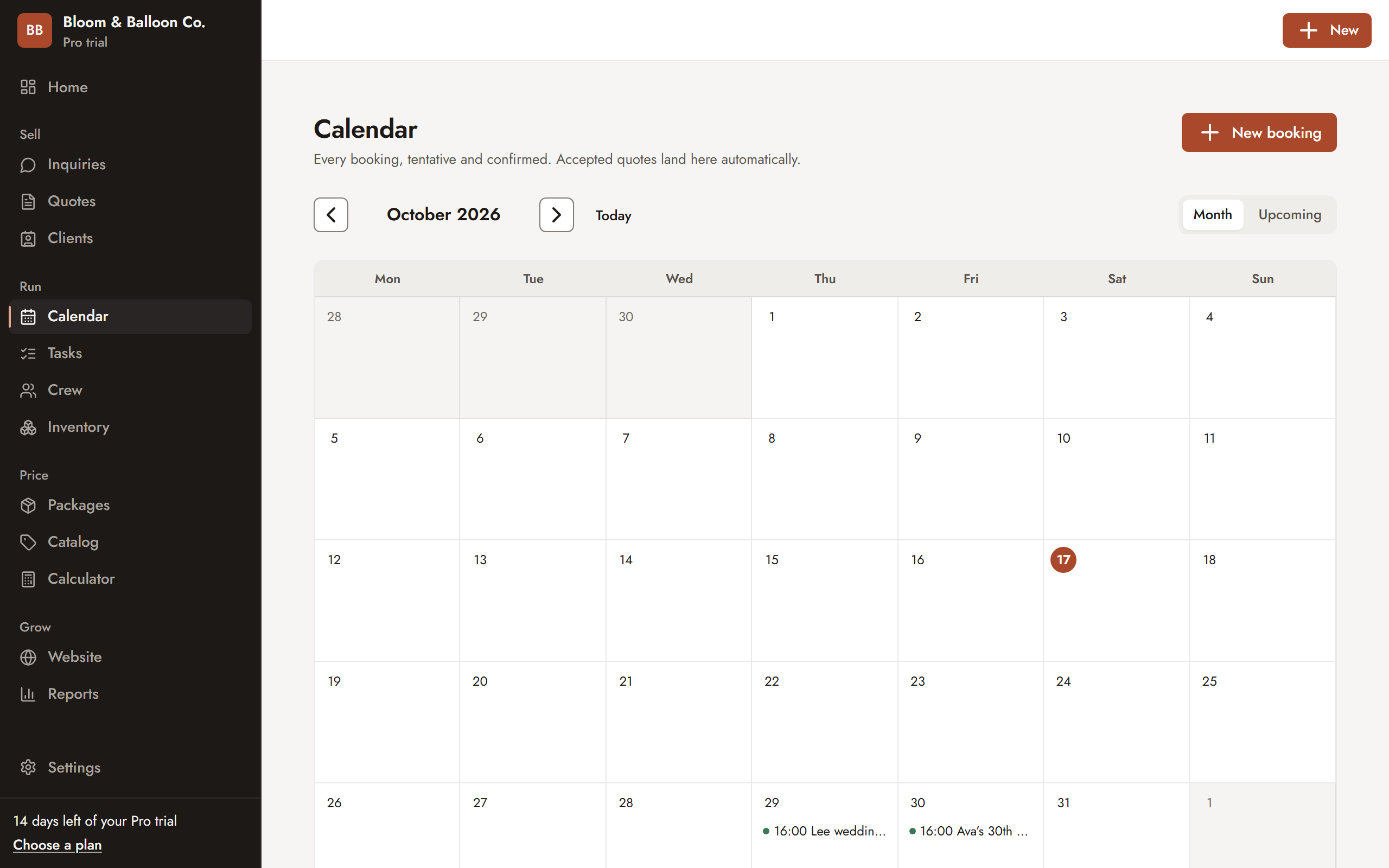
Tentative and confirmed bookings on one calendar, with each part of a multi-day event on its own day. Sarvyam warns you before you take a second booking on a date you have already committed to.
- Accepted quotes land on the calendar automatically
- Clash warnings for dates and crew
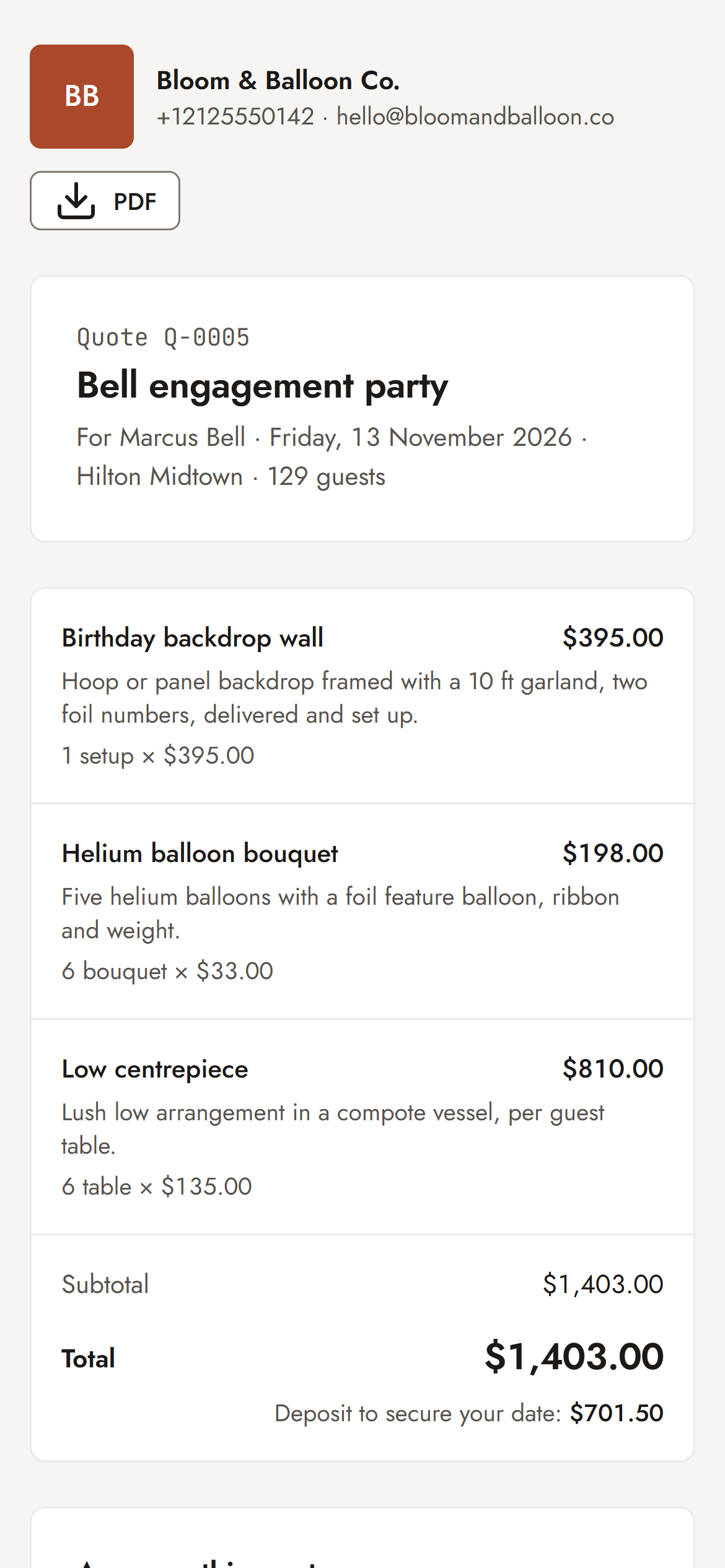
- Quotes your client signs on their phone
From inquiry to the day itself.
- Set up your services
Add full planning, partial planning and day-of coordination as packages priced from your hours, and save your planning checklist.
- Quote the inquiry
Start from the inquiry with the date, guest count and budget, add sections for each event and check your margin before you send.
- Client signs and pays
They open the link, pick any add-ons, sign with their name and pay the deposit. The booking lands on your calendar.
- Plan the events
Add each part with its venue, times and contacts, list the vendors and their arrival times, and share boards with the client.
- Run the day
Share the vendor timeline and the day-of brief with your team. Your client can tick off what was done as planned.
Spreadsheets, a generic CRM or Sarvyam?
A generic CRM tracks deals and contacts. Planning needs the event itself: its parts, its vendors and what the client approved.
| Task | Spreadsheets + WhatsApp | Generic CRM | Sarvyam |
|---|---|---|---|
| Several events in one booking | A tab per event | One date per deal | Parts with own venue and times (Starter+) |
| Vendor arrival times and shared timeline | Group chats | No | Shared timeline links (Pro) |
| Client page with schedule and payments | Long emails | Some | Yes (Starter+) |
| Inspiration boards clients like and comment on | Pinterest + screenshots | No | On inquiry, quote and booking |
| Checklists dated from the event day | Separate to-do app | Generic tasks | Applied to each booking (Pro) |
| Planning fee priced from your hours | Guesswork | Line items only | Costed packages with margin |
| Deposit and payment schedule | Manual | Invoices only | Created on approval (Starter+) |
Check your fee first.
Work out the margin on a planning package with the free calculator, then decide how much deposit to ask for. No sign-up needed.
Start free. Upgrade when it pays.
Price every job with confidence.
- Profit calculator and costing engine
- Industry starter packs
- 10 sent quotes a month
- 100 catalog items, 25 clients
Turn inquiries into paid bookings.
- Unlimited quotes, items and clients
- Inquiry pipeline and link-in-bio page
- Online approval with e-signature
- Calendar, deposits and payment tracking
Run the whole team and every event.
- Unlimited team members — no per-seat fees
- Crew and freelancer scheduling with clash checks
- Tasks, checklists, inventory and rentals
- One-page website in 10 themes, vendor timelines, reports
Every new account gets 14 days of Pro, then falls back to Free — never charged automatically. Prices in US dollarsPrices in Indian rupees; yearly plans get two months free. Compare all plans · Start free
Event planning software: FAQ
What is event planning software for small businesses?
It is software that runs a planning business: inquiries, quotes for your planning fee, the event schedule, the vendors working each event, checklists, payments and what the client approved. Sarvyam puts these in one place and adds a client page and shared vendor timelines, so you aren’t rebuilding the same information in documents and group chats.
Can Sarvyam handle a multi-day wedding?
Yes. One booking can hold several events, each with its own date, times, venue, guest count, contacts and vendors. It works for a rehearsal dinner, wedding day and brunch, or a Haldi, Mehendi, Sangeet, wedding and reception. The quote can be split into sections by event, and you can add more quotes to the booking as plans change.
How do vendors see the timeline?
On Pro and above, invite each vendor from the booking. They get an email and a page they can open without an account, showing the shared timeline, arrival times and the contacts you have chosen to share. Your private notes about vendors are never shown to them.
What does my client see?
Your client gets a private page with the schedule of every event, what they approved for each, their quotes, the payment schedule with a pay link and any inspiration boards you share. They never see your costs, margins, crew fees or notes. The link can be revoked at any time.
Is there a starter pack for event planners?
Not yet. Sarvyam has starter packs for decorators, florists, balloon artists, photographers, photo booths and party rentals. Most planners start with the Event & wedding decor pack and replace its examples with their own planning services and checklist, or start from a blank catalog.
Does it do guest lists, RSVPs or seating charts?
No. Sarvyam runs the business side of planning: inquiries, quotes, bookings, vendors, checklists and payments. It records guest counts per event but does not manage guest lists, RSVPs, seating charts or the couple’s overall budget.
How much does it cost?
There is a Free plan for pricing and up to 10 sent quotes a month. Starter is $19 a month (₹999 in India) and adds the calendar, multi-event bookings, client page, online approval and deposits; Pro is $49 (₹2,499) and adds vendor invitations, checklists and unlimited team members. New accounts get 14 days of Pro and are never charged automatically.

One plan everyone
can actually find.
Free forever plan. 14 days of Pro included. No card needed.